Feeling buried under lectures, readings, and deadlines? You are not alone. The right AI tools can turn late-night stress into focused progress without replacing your own thinking. This guide shares the best AI tools for students that real learners use in 2026 free and paid options that handle research, writing, note review, math, coding, and exam prep. You will find clear picks by task, honest free-tier limits, student discounts, and ready-to-use tips so you can pick what fits your week and start working smarter today.
Quick Answer
Question: What are the best AI tools for students in 2026?
Answer: NotebookLM leads for source-grounded studying from your own notes and PDFs. ChatGPT with free Study Mode handles general explanations and planning. Perplexity (Education Pro often discounted) delivers cited research. Claude shines for long writing feedback. Pair them with Quizlet, Grammarly, and Wolfram Alpha for a complete free or low-cost stack.
Table of Contents
- Best Overall AI Tools for Students
- Best Free AI Tools for Students
- Best AI Tools for Research and Citations
- Best AI Tools for Writing and Essays
- Best AI Tools for Studying Notes and Lectures
- Best AI Tools for Math and STEM
- Best AI Tools for Coding Students
- Best AI Tools for Flashcards and Memorization
- Best AI Tools for Presentations and Visuals
- Best AI Tools for Note-Taking and Organization
- Trending AI Tools for Students This Year
- Instagram Caption Ideas
- WhatsApp Status Ideas
- Facebook Post Ideas
- Frequently Asked Questions
Best Overall AI Tools for Students ❤️
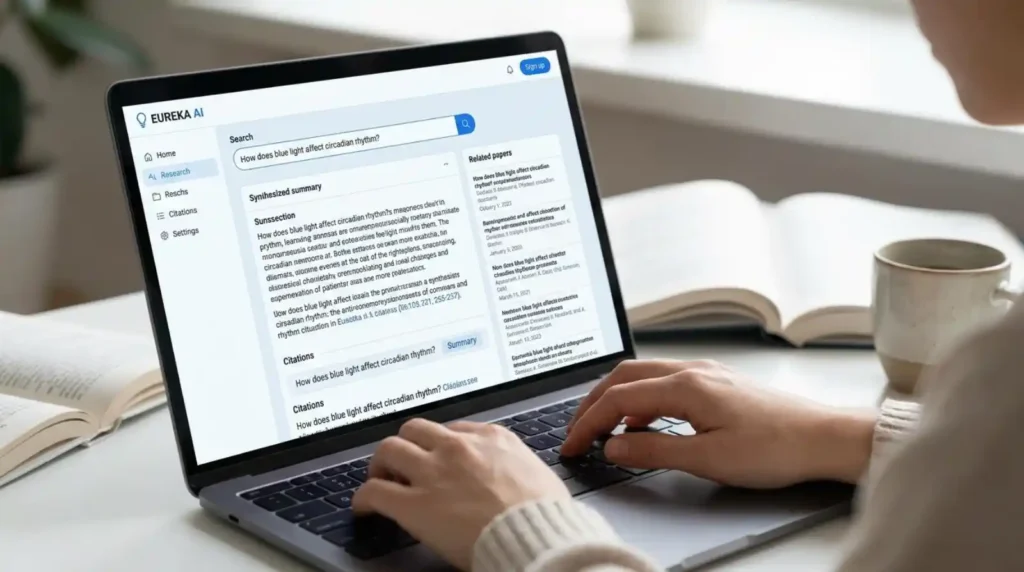
These tools cover the widest range of weekly student tasks and deliver the highest value when used responsibly. They work across subjects, respect academic integrity when you treat them as tutors rather than answer machines, and have strong free tiers or student pricing. Ideal for college and high-school students who want one or two core apps instead of a dozen scattered subscriptions.
NotebookLM
Upload your PDFs, slides, and lecture notes for grounded answers, flashcards, audio overviews, and mind maps with zero hallucinations outside your sources.
ChatGPT (free Study Mode)
Turn on Study Mode for guided explanations and practice that teaches instead of just giving final answers. Best all-purpose starting point.
Claude
Excellent for long documents, careful essay feedback, and Learning Mode that asks guiding questions. Strong free tier with solid context window.
Perplexity
Cited research answers with sources you can check. Education Pro is often available at student pricing after verification.
Google Gemini
Deep Google Workspace integration plus study notebooks. Great if you already live in Docs, Drive, and Classroom.
Grammarly
Real-time grammar, clarity, and tone fixes plus AI detection transparency features many schools now expect.
Quizlet
AI-generated flashcards and active-recall practice are still hard to beat for memorization-heavy courses.
Wolfram Alpha
Computational accuracy for math, science, and engineering problems that language models still miss.
GitHub Copilot (student plan)
Free for verified students. Speeds coding assignments while explaining suggestions.
QuillBot
Paraphrasing, summarizing, and citation help with a usable free tier.
Otter.ai
Lecture transcription and searchable notes. Helpful for auditory learners and busy schedules.
Notion AI
Organizes notes, tasks, and study plans in one workspace. The education plan keeps costs low.
Best Free AI Tools for Students 🌸
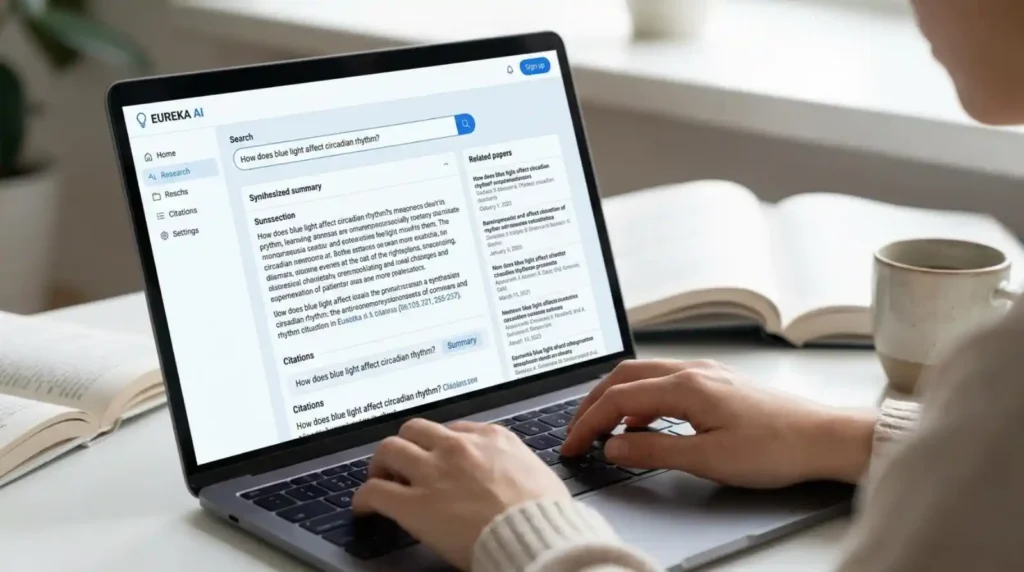
Budget-friendly options that deliver real value without a credit card. Perfect for high-school and college students watching expenses. These free tiers cover most daily needs when combined smartly.
NotebookLM
Completely free core features: notebooks, source chat, audio overviews, flashcards, and quizzes from your materials.
ChatGPT free tier
Includes Study Mode and capable model access for explanations, outlines, and brainstorming.
Claude free tier
Strong writing feedback and long-document handling within daily limits.
Perplexity free
Unlimited basic searches with citations; limited Pro searches daily.
Google Gemini free
Generous multimodal access and Workspace tools for most students.
Grammarly free
Core grammar and clarity checks that catch the majority of common errors.
Quizlet free
Basic flashcard sets and study modes are still effective for many courses.
Wolfram Alpha free
Core computational answers for math and science problems.
Photomath / Microsoft Math Solver
Camera-based step-by-step math helps with solid free versions.
Canva free
AI design tools for clean presentations and visual study aids.
Anki
Powerful spaced-repetition flashcards that stay free on desktop and Android.
GitHub Copilot student
Full free access after .edu verification for coding work.
Best AI Tools for Research and Citations 📚
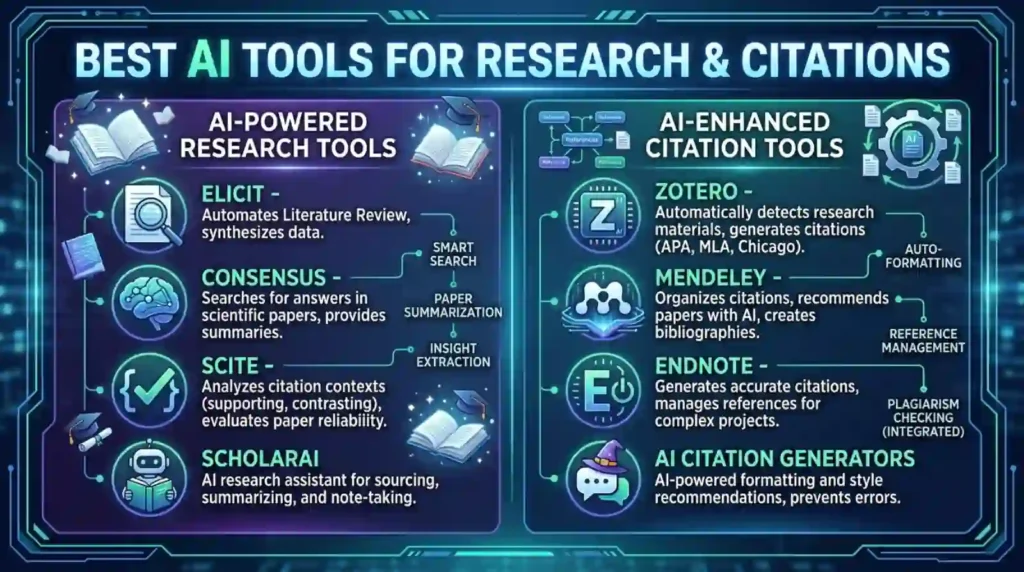
When you need verifiable sources and accurate summaries instead of invented facts. These tools help build literature reviews, fact-check claims, and keep citations clean. Best for essays, reports, and graduate-level work.
Perplexity
Every answer shows sources. Education plans add Study Mode and higher citation limits.
NotebookLM
Grounds everything in the papers and notes you upload, ideal for deep reading of assigned materials.
Consensus
Finds what peer-reviewed research actually says on a topic.
SciSpace / Elicit
Line-by-line paper explanations and literature review help.
Claude
Handles long PDFs and nuanced research synthesis well.
Gemini Deep Research features
Strong when paired with Google Scholar and Drive files.
Zotero or Mendeley with AI helpers
Organize references and generate citations cleanly.
ChatGPT with browsing or plugins
Useful for initial scoping when you verify every claim.
Semantic Scholar
Academic search that surfaces influential papers quickly.
Google Scholar + NotebookLM combo
Upload key papers into NotebookLM for interactive Q&A.
Best AI Tools for Writing and Essays ✍️
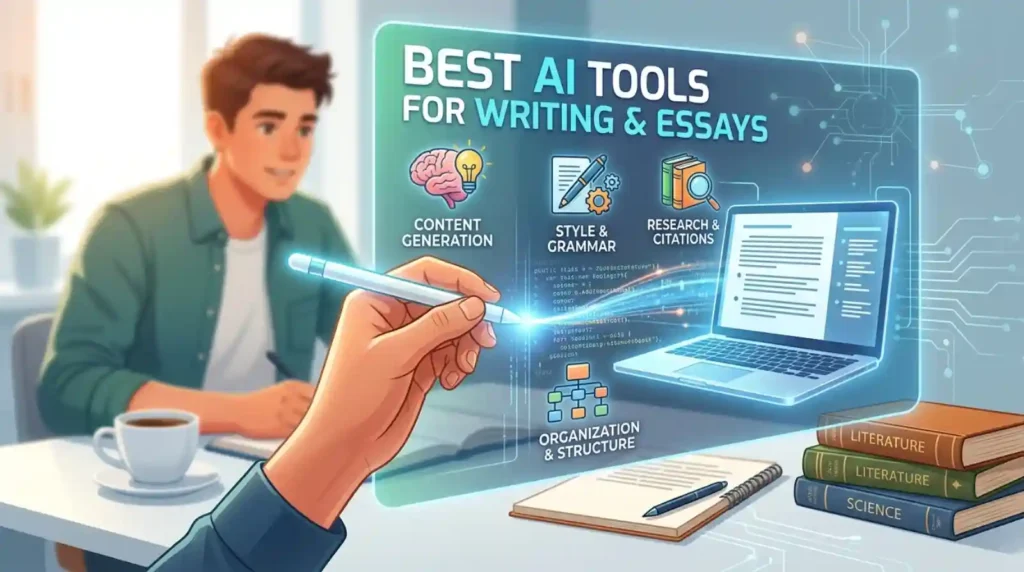
From first outline to final polish. These tools improve structure, clarity, and academic tone while leaving the thinking and voice to you. Use them for feedback, not final drafts.
Claude
Best long-form feedback and Learning Mode that pushes you to reason.
ChatGPT Study Mode
Outlines, thesis help, and practice prompts that build skill.
Grammarly
Grammar, tone, clarity, and plagiarism/AI-use insights.
QuillBot
Paraphrasing and summarization that stay closer to original meaning.
Gemini in Google Docs
Seamless drafting and revision inside the tools many students already use.
DeepL Write
Strong multilingual polish and style suggestions.
Notion AI
Turns scattered notes into structured outlines and drafts.
Hemingway or similar clarity checkers
Keeps academic writing readable and direct.
Microsoft Copilot (school account)
Helpful inside Word and Teams for many university students.
ProWritingAid
Deeper style and consistency reports for longer papers.
Best AI Tools for Studying Notes and Lectures 📝
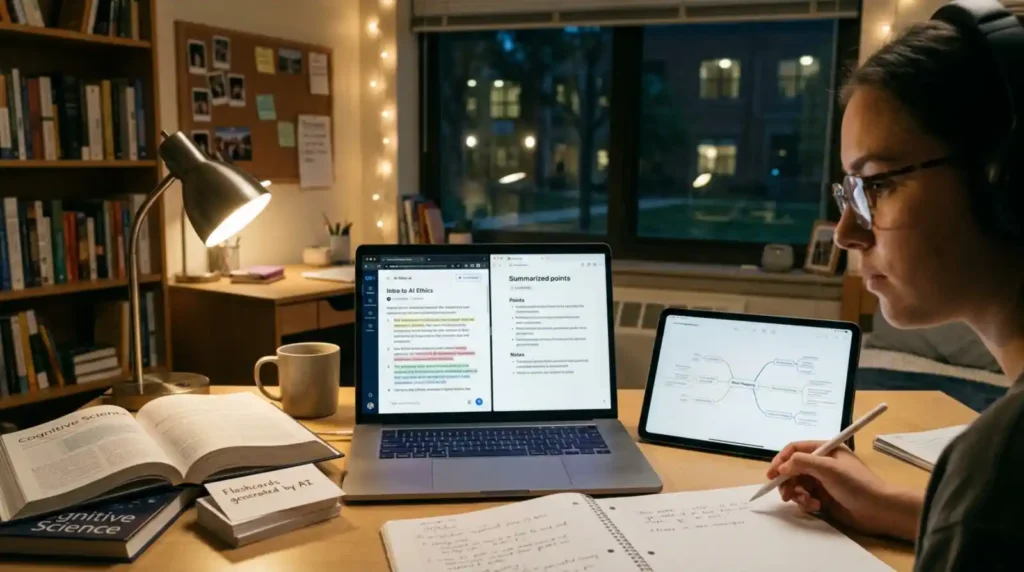
Turn messy notes, recordings, and slides into review-ready materials. These tools shine the night before an exam or when catching up after missed classes.
NotebookLM
Upload everything and generate audio overviews, mind maps, flashcards, quizzes, and grounded Q&A.
Otter.ai
Live transcription plus searchable lecture notes.
ChatGPT or Claude
Paste notes and ask for summaries, key concepts, or practice questions.
Quizlet
Turn notes into spaced-repetition sets quickly.
Gemini study notebooks
Adaptive lessons and progress tracking tied to your materials.
Mindgrasp or similar lecture converters
Turn videos and PDFs into structured study assets.
Anki + AI card generators
Long-term retention with intelligent scheduling.
Notion AI
Organize and query your entire semester of notes.
Natural Reader or text-to-speech tools
Listen to notes while commuting or exercising.
Microsoft OneNote + Copilot
Handy if your school runs on Microsoft tools.
Best AI Tools for Math and STEM 🔢
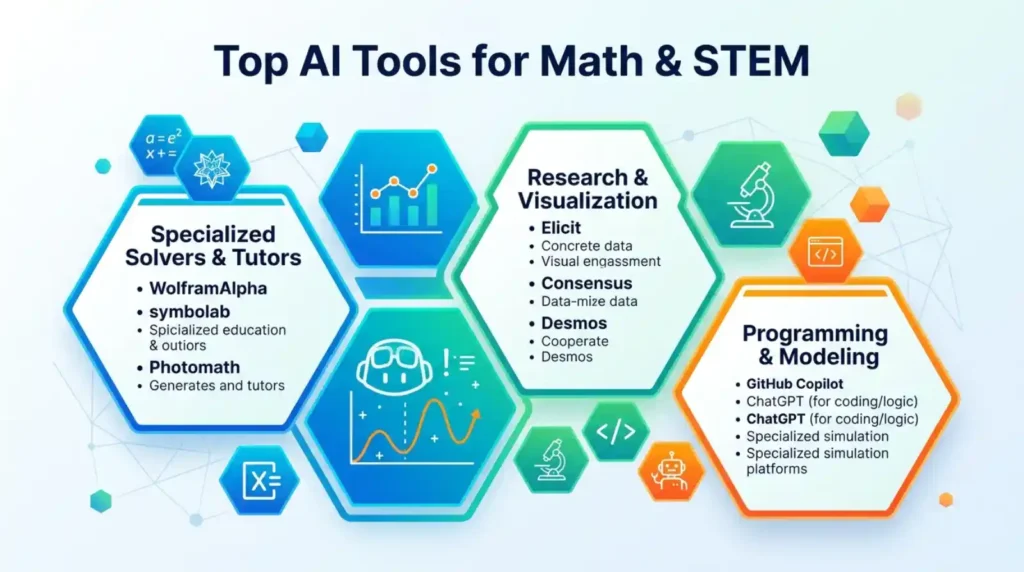
Language models still make calculation errors. These tools prioritize accuracy and step-by-step reasoning for problem sets, labs, and exams.
Wolfram Alpha
True computational engine for exact math, physics, and chemistry answers.
Photomath
Camera scan with clear animated steps.
Symbolab or Mathway
Broad coverage of algebra through calculus with free tiers.
Khanmigo
Socratic tutoring style that guides without giving answers away.
ChatGPT or Claude with careful prompting
Concept explanations and practice problems always verify numbers.
Gauth or similar all-in-one solvers
Helpful for full problem-set workflows.
Microsoft Math Solver
Completely free camera and typed input options.
Desmos + AI helpers
Graphing and visualization support.
GitHub Copilot for computational notebooks
Speeds Python or MATLAB course work.
GeoGebra
Interactive geometry and algebra visualizations.
Best AI Tools for Coding Students 💻
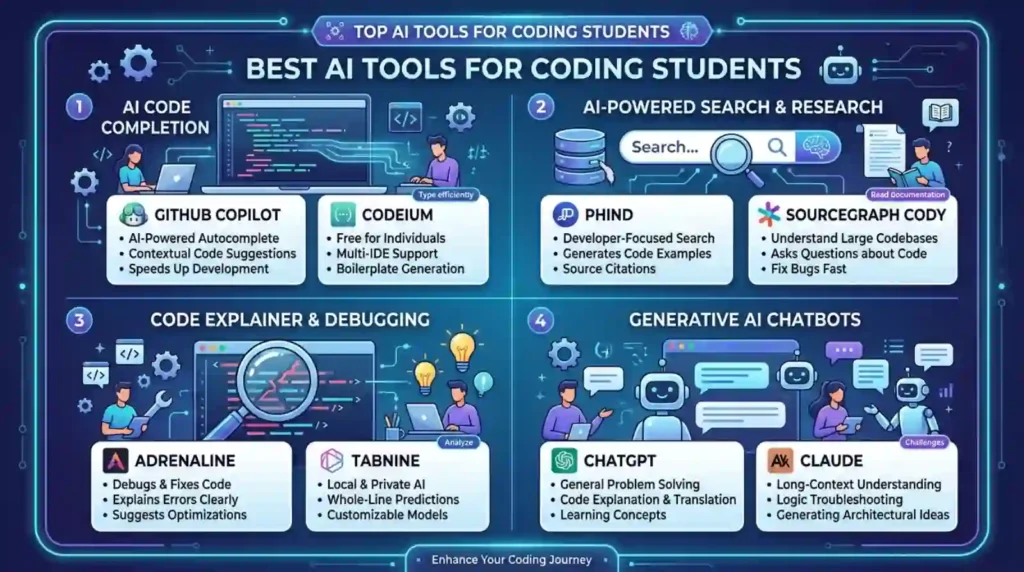
From debugging to learning new languages. These tools accelerate practice while still requiring you to understand the code.
GitHub Copilot (free student plan)
Inline suggestions and explanations after .edu verification.
ChatGPT or Claude
Code explanation, debugging help, and algorithm walkthroughs.
Cursor or similar AI-native editors
Deeper codebase understanding for larger projects.
Replit AI or Google Colab helpers
Quick experimentation and sharing.
AskCode or specialized coding tutors
Focused help for documentation and learning.
DeepSeek or open models via free interfaces
Strong coding performance at low or zero cost.
LeetCode + AI explanation tools
Practice with guided solutions.
Microsoft Copilot in VS Code
Convenient if you already use the Microsoft ecosystem.
Tabnine
Privacy-focused code completion alternative.
Codeium free tier
Solid autocomplete without heavy limits for many students.
Best AI Tools for Flashcards and Memorization 🧠
Active recall still wins exams. These tools make creating and reviewing cards faster and smarter.
Quizlet
AI card generation plus proven study modes and games.
Anki
Spaced repetition gold standard; free on most platforms.
NotebookLM flashcards
Generated directly from your uploaded course materials.
Knowt
AI cards from notes and videos with generous free limits.
RemNote or similar linked-note systems
Cards that stay connected to your full notes.
Brainscape
Confidence-based repetition that adapts to you.
ChatGPT or Claude card generators
Paste a chapter and request well-formed Q&A pairs.
Quizizz or Kahoot AI features
Gamified review for group or solo study.
Memrise
Helpful for language and vocabulary-heavy courses.
Notion databases turned into cards
Keep everything inside one workspace.
Best AI Tools for Presentations and Visuals 🎨
Clean slides and visual explanations that look professional without design skills.
Canva AI
Magic Design, text-to-image, and presentation generation with a strong free tier.
Gamma
Turn outlines into polished slide decks quickly.
Gemini or ChatGPT + Google Slides
Draft content then refine inside familiar tools.
Beautiful.ai or similar
Smart templates that keep design consistent.
Microsoft Copilot in PowerPoint
Helpful for school Microsoft 365 accounts.
NotebookLM slide or infographic outputs
Visual summaries grounded in your sources.
Midjourney or free image generators (with care)
Custom diagrams when policies allow.
Prezi or interactive alternatives
For non-linear storytelling presentations.
Tome
Narrative-style AI presentations.
Slidesgo + AI helpers
Free template packs that look modern.
Best AI Tools for Note-Taking and Organization 📋
Keep an entire semester under control so nothing falls through the cracks.
Notion AI
Notes, tasks, databases, and AI queries in one place. Education plans available.
Obsidian + AI plugins
Local-first linked notes with powerful search.
OneNote + Copilot
Free-form notes that work well with Microsoft schools.
Evernote or similar with AI search
Solid web clipper and organization.
NotebookLM as a secondary brain
Chat across all your uploaded materials.
Todoist or TickTick with AI
Task and deadline management.
Google Keep + Gemini
Quick capture that feeds into larger systems.
Roam or Logseq for networked thought
Great for research-heavy majors.
Craft or Bear for clean Apple ecosystems
Beautiful writing-focused notes.
Reflect or similar daily notes tools
Lightweight journaling and review.
Trending AI Tools for Students This Year
Short, modern, shareable recommendations perfect for Instagram, WhatsApp, Facebook, Pinterest, and greeting-card style study motivation.
NotebookLM audio overview before every exam
Turn notes into a podcast you can listen to on the walk to class.
ChatGPT Study Mode only no more answer dumping
Let it teach you instead of doing the work for you.
Perplexity for every research question that needs sources
Citations you can actually click and verify.
Claude for the final essay feedback pass
Honest notes on structure and clarity.
GitHub Copilot free student plan activated
Coding help that still makes you read the suggestions.
Quizlet AI cards generated from lecture slides
Five minutes of setup, hours of better recall.
Grammarly last-look before every submission
Catch tone and clarity issues your eyes miss.
Wolfram Alpha for the math problems language models get wrong
Exact answers when precision matters.
Otter.ai running during every recorded lecture
Searchable notes without frantic typing.
Canva AI for the presentation due tomorrow
Professional slides without design panic.
Gemini study notebook for adaptive practice
Personalized lessons that update as you improve.
Free stack only: NotebookLM + ChatGPT + Perplexity + Grammarly
Covers 90 percent of student needs at zero cost.
Instagram Caption Ideas
NotebookLM just turned my 40-page PDF into a podcast. Game changer for exam week.
Post with a screenshot of an audio overview.
Study Mode on. No more copying answers. Actually learning this time.
Pair with a focused desk photo.
Free student AI stack that actually works: NotebookLM + Perplexity + Claude free tier.
Carousel of the three tools.
Your notes deserve better than highlighting. Upload them.
Before-and-after study material shot.
Math homework that used to take three hours now takes forty minutes. Wolfram + careful prompting.
Problem set progress photo.
Citation anxiety is real. Perplexity shows every source.
Research tab screenshot.
Flashcards in under two minutes from my lecture slides. Quizlet AI for the win.
Phone screen of new cards.
Writing feedback that feels like a good TA. Claude Learning Mode.
Essay draft with comments.
Coding assignment submitted before midnight thanks to Copilot student plan.
VS Code or GitHub screenshot.
The only AI rule I follow: if I can’t explain it without the tool, I don’t use the answer.
Simple text post for saves.
WhatsApp Status Ideas
NotebookLM audio overview on repeat until the exam makes sense.
Use during heavy study days.
Study Mode activated. Let’s actually learn this.
Morning motivation status.
Free tools only this semester and still ahead.
Budget-friendly flex.
Citations sorted. Perplexity for the research win.
After finishing a paper section.
Flashcards done in the time it used to take to find my notes.
Quick win share.
Math steps that finally make sense.
After a tough problem set.
Essay feedback that didn’t just say “good job.”
Honest tool praise.
Lecture transcribed. Now I can actually listen in class.
Otter or similar shout-out.
The presentation looks like I hired a designer. Canva AI.
Before a group project.
Student AI stack locked in. No more tool hopping.
End-of-week reflection.
Facebook Post Ideas
If you’re still trying to make one AI do everything, stop. Here’s the 2026 student stack that actually works.
Share the free combination list.
NotebookLM is the quiet MVP of student AI this year. Upload your materials and watch the magic.
Personal success story post.
Study Mode changed how I use ChatGPT. It teaches instead of enabling.
Encourage responsible use.
Research without the citation scavenger hunt. The Perplexity Education plan is worth checking.
Helpful tip for undergrads.
Free tools that saved my GPA this semester full list in comments.
Drive engagement.
Math students: stop arguing with language models. Use a computational engine.
Wolfram Alpha recommendation.
Coding friends: claim your free GitHub Copilot student access before you forget.
Practical reminder.
The difference between students who finish early and those who panic is usually their tool stack, not their IQ.
Motivational with tools mentioned.
Audio overviews while walking to class. Best study habit I added this year.
NotebookLM feature highlight.
What’s in your student AI toolkit right now? Drop it below.
Conversation starter.
Frequently Asked Questions
What is the best AI tool for students in 2026?
NotebookLM for source-based studying, ChatGPT Study Mode for general help, and Perplexity for cited research form the strongest core combination for most students.
Are there really good free AI tools for students?
Yes. NotebookLM, ChatGPT free with Study Mode, Claude free tier, Perplexity free, Grammarly free, Quizlet free, and Wolfram Alpha free cover nearly every common academic task.
Is Perplexity free for students?
Education Pro is available at a significant student discount after verification; some university partnerships and promotions still offer free periods to check current offers with your .edu status.
Can AI tools get me in trouble for academic integrity?
Yes if you submit AI-generated work as your own. Use them for explanation, feedback, organization, and practice, then write and solve in your own words. Always follow your school’s policy.
What is the best AI for writing essays?
Claude for thoughtful long-form feedback and ChatGPT Study Mode for outlining and concept work, followed by Grammarly for final polish.
Which AI is best for math and science?
Wolfram Alpha for accurate computation, Photomath for step-by-step visual help, and careful use of ChatGPT or Claude for concept explanations.
Do I need paid AI tools as a student?
Most students do well with free tiers. Upgrade only when you hit consistent limits on research volume, long-document analysis, or coding assistance.
How should students use AI without hurting learning?
Treat every tool as a tutor: ask for explanations, practice questions, and feedback. Never paste the final answer into your submission. If you cannot explain it yourself, keep working.
CONCLUSION
The best AI tools for students in 2026 do not replace hard work, they remove friction so your effort goes further. Start with Notebook for your own materials, add ChatGPT Study Mode for explanations, and bring in Perplexity when you need real sources. Personalize the stack to your major and schedule. Share the tools that save you the most time with classmates who are still struggling. The students who treat AI as a thoughtful tutor rather than a shortcut are the ones who finish stronger and actually remember what they learned.

Mustansar Abbas is a writer and author of the article “Brief Wishes.“ He is passionate about creating meaningful and engaging content that connects with readers through clear ideas and thoughtful expression.